
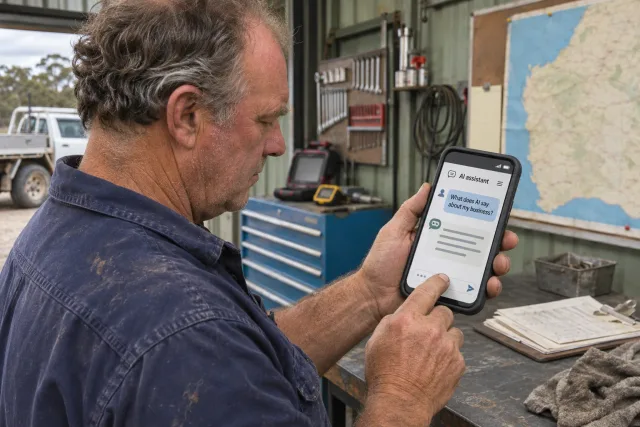
What Does AI Say About Your Business? Checking the Facts
Written .
An AI answer about your business might sound confident while getting an important detail wrong. It may describe an old service, mix you up with another business or give opening hours that no longer apply. A short fact-check helps you spot those problems and decide what you can usefully change.
This is an accuracy check, not a ranking report. The aim is to make the information customers find more dependable. You cannot directly control an AI system’s answers, and one response is not a complete picture of how people discover your business.
Start with a small set of customer questions
Choose one or two tools you want to check and ask a few questions a real customer might use. Include your business name and location to reduce ambiguity. For example:
- “What does [business name] in Albany do?”
- “Where is [business name], and how can I contact them?”
- “Does [business name] provide [a service you actually offer] in Denmark?”
- “What are [business name]’s opening hours?”
Use ordinary wording rather than trying to prompt a flattering answer. Start a fresh conversation for each check so earlier discussion is less likely to shape it. Record whether the tool indicates that it searched the web. An answer without sources is harder to investigate, so do not treat it as verified business information.
Avoid using broad “best business” questions as your main test. Those introduce opinions and comparisons when you are trying to establish straightforward facts.
Keep a record you can compare later
For each check, save the date, tool, exact question, relevant answer and any linked sources. Record the specific error and what the correct information should be. A screenshot can help preserve what you saw.
Separate factual errors from omissions. A wrong phone number needs attention. An answer that does not mention every service may simply be incomplete. If the tool names another business, check whether your website clearly distinguishes your business name, location and offer.
Treat each response as a snapshot. Repeating a question can produce a different answer, so a single successful check is not evidence that the problem has disappeared everywhere.
Follow the sources where they are provided
Open the cited pages and check whether they actually support the answer. A citation may lead to accurate information that the answer misinterpreted, or to an old page that needs attention. If no source supports the claim, mark its origin as unknown rather than guessing where it came from.
Sort the findings into three groups:
- Your website: information you can correct directly, such as an old service page, footer or downloadable brochure.
- Profiles you manage: business listings where you can sign in and request or make a correction.
- Third-party pages: directories, articles or other sites whose owners you may need to contact.
For Google Business Profile, verified owners can edit details including hours, address and contact information. Follow Google’s Business Profile editing instructions. Updating a profile is a useful correction in its own right; it is not a promise that another company’s AI tool will immediately change its answer.
Correct the information at its source
Make important facts easy to find in the normal text of your website. Check the contact page, relevant service pages and repeated details such as the footer. Where an old page remains useful, update it. Where it needs replacing or removing, ask your web developer to review links and redirects first.
Our website content audit checklist provides a way to organise that work. The local SEO guide covers the relationship between your website and local business information.
If your website uses structured data, keep it consistent with the visible facts. Google’s guidance for its AI search features says ordinary SEO practices remain relevant and no special AI markup is required. Read the Google guidance and our schema markup guide before treating an extra technical file as a fix for incorrect information.
Recheck without promising a result
After corrections, repeat the same questions at a sensible interval and record what changed. Keep the old results so you can see whether the errors recur. There is no universal timetable for a website correction to appear in an AI answer, and a correction may not be reflected at all.
If a tool offers a feedback or report option, you can also flag a specific incorrect response. Use a short factual explanation and public evidence. Do not paste private customer or business records into a tool to prove a point.
Make the next step proportionate
You do not need a new website because one AI response was wrong. Start with the source of the error and the pages customers rely on most.
Talk to Paul & Deb about inaccurate website information if you need help tracing or correcting it. If the check reveals that your site no longer explains what you do, use the website planner to outline a more substantial refresh.
For improving the underlying website beyond fact-checking, read AI search for local businesses.